


In this article What Are Amazon Seller Fees? How Much Are Amazon Fees for Sellers? Amazon FBA Fees...

In this article
- What Does an FBA Calculator Do?
- What Can the Calculator Estimate?
- Which Amazon Calculator Should a Seller Use?
- Data You Need Before Estimating FBA Profit
- How Amazon FBA Revenue, Fees, Costs, and Profit Are Calculated
- Step-by-Step FBA Profit Estimate
- Which Costs Should Be Included in the Calculation?
- How to Use Seller Central Estimates and Fee Preview
- Why FBA Calculator Results May Differ from Actual Profit
- Pre-Launch Estimates vs. Real-Time Profit Tracking
- How NeonPanel Calculates Revenue, Fees, Costs, and Profit Automatically
- Track Amazon Profit by Product, ASIN, Marketplace, and Period
- Why NeonPanel Goes Beyond Pre-Launch Estimates
- FAQ
An FBA calculator is useful before a product launches because it turns a selling idea into a rough set of numbers. A price that looks attractive can become much less attractive after referral fees, fulfillment, storage, inbound shipping, advertising, returns, and COGS are included. The calculator helps test those assumptions before inventory is committed.
It is still an estimate. Once the product is live, real transactions may differ because dimensions change, storage varies, ads cost more than expected, returns occur, or fee adjustments appear. The best use of a calculator is therefore scenario planning before launch, followed by actual profitability tracking after sales begin.
What Does an FBA Calculator Do?
Searching for FBA calculator Amazon can surface both Amazon tools and third-party estimators. They combine product data with fee and cost assumptions to estimate revenue and unit economics. Sellers can compare FBA with seller fulfillment by changing the fulfillment method and cost assumptions.
For readers who need context on the fulfillment model itself, review what Amazon FBA is. A fulfillment-focused calculator is most useful when the seller already understands which costs belong to Amazon and which must be entered separately.
What Can the Calculator Estimate?
Estimated Revenue and Net Proceeds
Revenue starts with selling price multiplied by units sold, adjusted for discounts, refunds, and other reductions when the model allows them. An Amazon seller calculator may show estimated net proceeds after marketplace fees, but proceeds are not the same as net profit because COGS and operating expenses may be missing.
Referral, Fulfillment, and Storage Fees
An Amazon seller FBA calculator tool usually estimates referral fees from product category and price, fulfillment fees from size and weight, and storage from inventory volume and time assumptions. The exact inputs and labels can change, so current Amazon US documentation should be checked when the article is published.
COGS, Shipping, Advertising, and Other Costs
A full profit estimate requires costs the marketplace may not know: purchase price, freight, duties, prep, inbound shipping, advertising, expected returns, software, payroll, and other overhead. The seller must add these assumptions deliberately. An Amazon sales calculator that focuses only on revenue will not answer the same question as a profitability model.
Estimated Profit, Profit Margin, and ROI
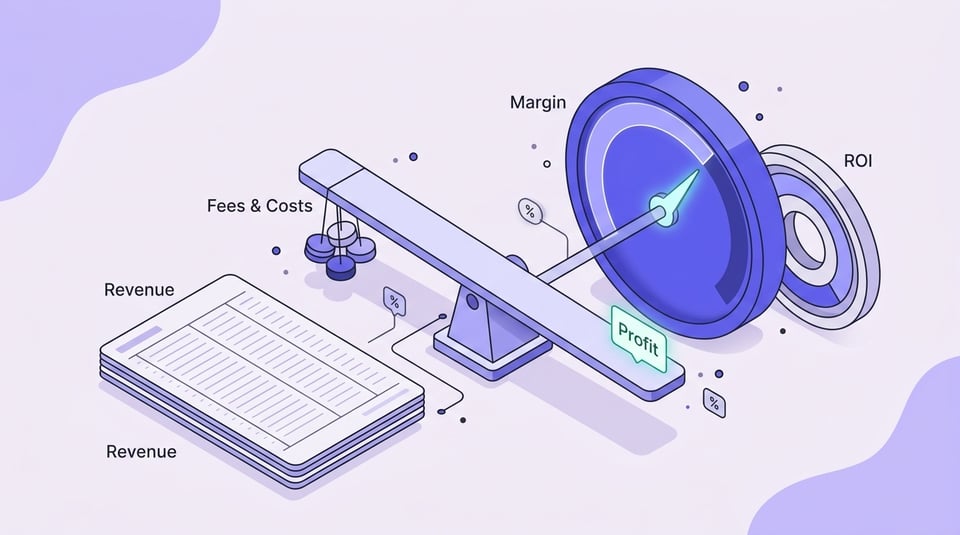
Estimated net profit is the amount left after all included costs. Profit margin compares that profit with revenue, while ROI compares profit with the invested cost base. These measures answer different questions: margin describes the quality of sales, while ROI shows how efficiently invested capital is being used.

Which Amazon Calculator Should a Seller Use?
Sellers encounter several overlapping labels for calculators, and the names are not always precise. An Amazon selling calculator may be a simple revenue or fee estimator, so check which inputs it includes before using its result to judge profitability.
Choose the tool based on the decision you need to make. For a quick price-and-fee check, a fee estimator may be enough. For FBA versus FBM, use a calculator that supports both fulfillment methods. For product selection or budgeting, use a model that includes COGS, inbound costs, advertising, returns, and operating expenses so estimated profit is not confused with net proceeds.
Data You Need Before Estimating FBA Profit
Good output begins with good inputs. A precise calculator cannot rescue unrealistic assumptions. Before calculating, collect the marketplace, product category, expected selling price, monthly unit volume, package dimensions and weight, fulfillment method, COGS or landed cost, inbound freight, storage assumptions, advertising budget, expected returns, and optional program costs.
- Confirm the marketplace and product category because fee rules can differ.
- Use realistic package dimensions and shipping weight rather than an early prototype estimate.
- Use landed cost when possible, not purchase price alone.
- Estimate advertising and returns explicitly instead of assuming zero.
- Stress-test lower prices, higher CPC, slower sales, and longer storage periods.
If a product is still in development, treat uncertain inputs as ranges. When testing a selling on Amazon calculator, run conservative and optimistic scenarios instead of treating one precise result as guaranteed.
How Amazon FBA Revenue, Fees, Costs, and Profit Are Calculated
Revenue and Net Proceeds Formula
A simple revenue estimate is selling price multiplied by realized units, less discounts and refunds. Net proceeds then subtract marketplace charges. This is useful for cash planning, but it is not yet profit because inventory and operating costs remain outside the calculation.
Amazon Fee Calculation Logic
Amazon fees are built from separate components rather than one universal percentage. Depending on the product and services used, the estimate may include selling-plan allocation, referral fees, FBA fulfillment, storage, aged inventory, inbound placement, removals, returns, and optional programs.
Net Profit, Margin, and ROI Formulas
A practical planning formula is: Estimated net profit = realized revenue - Amazon fees - COGS - inbound and storage costs - advertising - returns/refunds impact - operating costs.
Profit margin = net profit / revenue x 100%. ROI = net profit / invested cost x 100%. Keep the denominator consistent when comparing products — changing what counts as invested cost can make ROI comparisons misleading.
For inventory-cost methodology, the Amazon COGS formula guide explains why purchase price alone may not represent the cost of units sold.
Step-by-Step FBA Profit Estimate
Consider a product with a $40 selling price and an expected 300 units sold during the month. The figures below are illustrative planning assumptions, not current Amazon fee quotes. Verify current Amazon US fee rules before using them for a live decision.
| Item | Illustrative amount |
|---|---|
| Selling price | $40.00 |
| Monthly units | 300 |
| Revenue | $12,000 |
| Referral fee | $1,800 |
| FBA fulfillment | $1,440 |
| Storage | $180 |
| Inbound / placement | $210 |
| COGS | $3,900 |
| Advertising | $1,200 |
| Returns reserve | $240 |
| Other operating costs | $450 |
| Estimated profit | $2,580 |
| Estimated margin | 21.5% |
| Illustrative ROI | 39.7% |
The example shows why a healthy selling price does not guarantee a healthy margin. A small change in ad spend, fulfillment tier, or storage can materially alter profit. Run several scenarios before ordering inventory and replace the assumptions with actual costs after launch.
Which Costs Should Be Included in the Calculation?
Amazon Referral and FBA Fulfillment Fees
Before relying on a tool labeled sell on Amazon calculator, check that referral and fulfillment charges are tied to the correct category, price, product type, dimensions, and weight. Incorrect product data can produce a misleading fee estimate even when the calculator itself works correctly.
Monthly Storage and Aged Inventory Costs
Storage depends on inventory volume over time and may vary by season, product type, and inventory age. A slow-moving product can look profitable in a short launch model and become less attractive after several months of storage.
COGS, Landed Cost, Duties, Prep, and Inbound Shipping
COGS should reflect the units actually sold, while landed cost may also include freight, duties, prep, and other costs required to make inventory available for sale. See what COGS is and how to calculate it for the accounting distinction.
PPC, Promotions, Coupons, and Discounts
Advertising can be one of the largest variable costs after Amazon fees. Include a realistic PPC assumption and test what happens when CPC rises or conversion falls. Promotions and coupons also reduce realized revenue, so they belong in the model rather than being treated only as marketing tactics.
Returns, Refunds, Reimbursements, and Inventory Adjustments
Returns can reduce revenue and create additional costs. Reimbursements or inventory adjustments may arrive later, which means the calculator estimate and a later financial period will not line up perfectly. Include a return reserve when the product has no history yet.
Software, Payroll, Taxes, and Other Operating Expenses
These costs may not belong to a single unit, but they still matter for true net profit. Allocate them consistently when comparing products or reporting account-level profitability. A calculator that omits overhead is closer to contribution profit than full business profit.
How to Use Seller Central Estimates and Fee Preview
An Amazon Seller Central calculator or Fee Preview workflow can help validate product-level fee assumptions using Amazon data. Because Seller Central fields and navigation can change over time, use current Amazon documentation when following the steps.
- Search for an existing ASIN or define the product information required by the tool.
- Enter the selling price and seller-entered cost assumptions.
- Confirm dimensions, weight, category, and fulfillment method.
- Compare FBA and seller-fulfilled estimates when that option is available.
- Record the result and the date so later changes in fees or product data can be explained.
If you find a tool through a Seller Central Amazon calculator search, save its output with the assumptions and calculation date. The output is a planning estimate; a later difference needs to be traced to changed fees, inputs, or business conditions.

Why FBA Calculator Results May Differ from Actual Profit
Real results diverge from estimates for ordinary reasons: final package dimensions differ, a fee tier changes, storage lasts longer, inbound placement costs change, PPC becomes more expensive, returns increase, reimbursements arrive later, or overhead was never included. Currency conversion and discounts can add another source of variance for multi-marketplace sellers.
| Calculator estimate | Actual result | Why the difference appears |
|---|---|---|
| Planned size / weight | Charged fulfillment tier | Final product data or classification |
| Average storage | Actual monthly storage | Season, inventory level, days held |
| Expected PPC | Actual campaign spend | CPC, conversion, budget changes |
| Expected return rate | Actual refunds and adjustments | Customer behavior and disposition |
| No overhead | Operating expenses included later | Software, payroll, accounting, tax |
A useful post-launch review does not ask whether the calculator was "wrong." It asks which assumptions changed and whether those changes affect the decision to price, advertise, reorder, or discontinue the product.
Pre-Launch Estimates vs. Real-Time Profit Tracking
A calculator is a snapshot. Real-time or connected profit tracking is a continuing accounting and analytics process built from actual orders, fees, refunds, settlements, COGS, ad spend, and inventory costs. The two tools serve different stages of the seller workflow.
| Area | Calculator estimate | Connected profit tracking |
|---|---|---|
| Data source | Manual assumptions and fee rules | Actual connected transactions plus cost inputs |
| Update frequency | When the scenario is run | Ongoing as data is imported |
| Refunds / reimbursements | Estimated or omitted | Recorded when they occur |
| COGS | Seller-entered assumption | Configured cost method and updates |
| Historical analysis | Limited scenario history | Period and product comparisons |
| Manual effort | Input and scenario maintenance | Setup, mapping, exceptions, review |
NeonPanel's guide to tracking sales on Amazon explains why revenue, fees, and product economics should be reviewed together after launch.
How NeonPanel Calculates Revenue, Fees, Costs, and Profit Automatically
NeonPanel's Amazon accounting software can organize connected orders, fees, refunds, settlements, COGS, and operating data into an ongoing profitability workflow. Connected data replaces repeated one-time estimates with actual financial activity, while users still review mappings, cost inputs, cut-off rules, and exceptions.
Track Amazon Profit by Product, ASIN, Marketplace, and Period
Account-wide profit can hide weak products. Review net revenue, contribution profit, net profit, margin, ROI, ACoS or TACoS, return rate, and inventory age by SKU or ASIN. Then compare marketplaces and time periods to separate a product issue from a seasonal or account-wide change.
Daily data is useful for operations, while weekly and monthly views reduce noise for financial decisions. The same product may have acceptable account-level sales but poor economics in one marketplace because ads, fees, returns, or currency effects differ.
Why NeonPanel Goes Beyond Pre-Launch Estimates
An FBA calculator answers a pre-sale question: what might this product earn if the assumptions are correct? An accounting and analytics workflow answers a different question: what did the business actually earn after transactions, fees, refunds, inventory costs, and adjustments were recorded?
For ongoing analysis, explore NeonPanel Amazon accounting. It can connect profitability analysis with settlements and accounting workflows instead of treating each product as a one-time scenario.
Scenario testing is especially useful before a first order. Run the same product through a base case, a downside case, and a strong-sales case. Change only a few variables at a time, such as selling price, CPC, return rate, and monthly storage. This shows which assumption has the greatest effect on margin and where the product has the least room for error.
After launch, keep the original calculator result instead of overwriting it. Compare the forecast with actual fees, ad spend, returns, COGS, and inventory costs for the same period. The gap between the two becomes useful information: it shows which assumptions were reliable, which inputs need better sourcing, and whether future purchase or pricing decisions should use a different baseline.
That comparison also helps sellers update the assumptions they reuse when evaluating the next product or marketplace opportunity.
FAQ
⌃ What does an FBA fee and profit estimate show?
It is a planning tool that estimates Amazon fees and potential product economics from selling price, category, dimensions, weight, fulfillment method, and seller-entered cost assumptions.
⌃ How do I calculate Amazon seller profit?
Start with realized revenue, subtract Amazon fees, COGS, landed costs, advertising, returns, and operating expenses, then divide net profit by revenue to calculate margin.
⌃ Are referral and fulfillment fees included in the estimate?
Most FBA-focused calculators estimate referral and fulfillment fees, but the exact fields vary. Sellers should confirm whether storage, inbound costs, returns, advertising, and overhead are also included.
⌃ How do I calculate Amazon revenue?
Multiply realized selling price by units sold, then adjust for discounts, refunds, cancellations, and other reductions that affect the period being analyzed.
⌃ How do I estimate Amazon shipping and storage costs?
Use realistic package dimensions, weight, inbound method, inventory volume, sales velocity, and holding period. Test slower sales and longer storage as a downside scenario.
⌃ Why is my actual Amazon profit lower than the calculator estimate?
Common causes include higher advertising spend, changed dimensions or fee tiers, longer storage, returns, discounts, inbound costs, currency effects, and operating expenses that were missing from the original model.
⌃ Can NeonPanel calculate Amazon profit automatically?
Connected financial data can automate much of the collection and calculation workflow when integrations and cost inputs are configured correctly. Human review is still needed for mappings, exceptions, and data quality.
An FBA calculator is valuable before launch because it forces assumptions into numbers. After launch, those assumptions should be replaced by actual transactions, fees, refunds, and costs. Use NeonPanel Amazon accounting to connect estimates with the financial data that ultimately determines real profit.