
A reliable Shopify QuickBooks integration posts payouts, fees, and COGS—not just gross sales. This...

In this article
What Is a TikTok Shop?
TikTok is no longer just a platform for entertainment—it has also become a place where people discover and buy products.
What is a TikTok Shop? It is a built-in e-commerce feature that allows users to browse, purchase, and pay for products directly within the TikTok app. Instead of being redirected to another website, shoppers can complete the entire buying journey in one place.
Unlike traditional online stores, TikTok Shop combines shopping with engaging content. Products can appear in short videos, LIVE streams, creator profiles, and a dedicated Shop section, making it easy to discover items while scrolling through the app.
For businesses, TikTok Shop creates new opportunities to sell through videos, influencer partnerships, and live shopping events. For customers, it offers a fast and convenient way to purchase products they find through content they already enjoy.
How Does TikTok Shop Work?
Many users wonder how does TikTok Shop work once they see products featured in videos or live streams. The process is designed to keep shopping simple by allowing customers to discover, evaluate, and purchase products without leaving the app.
When a seller lists a product, it can be linked to short videos, LIVE broadcasts, or a storefront. Viewers can tap the product, review its details, read customer feedback, choose options such as size or color, and complete the purchase using the available payment methods. The seller then prepares and ships the order, while TikTok provides order tracking and purchase management within the platform.
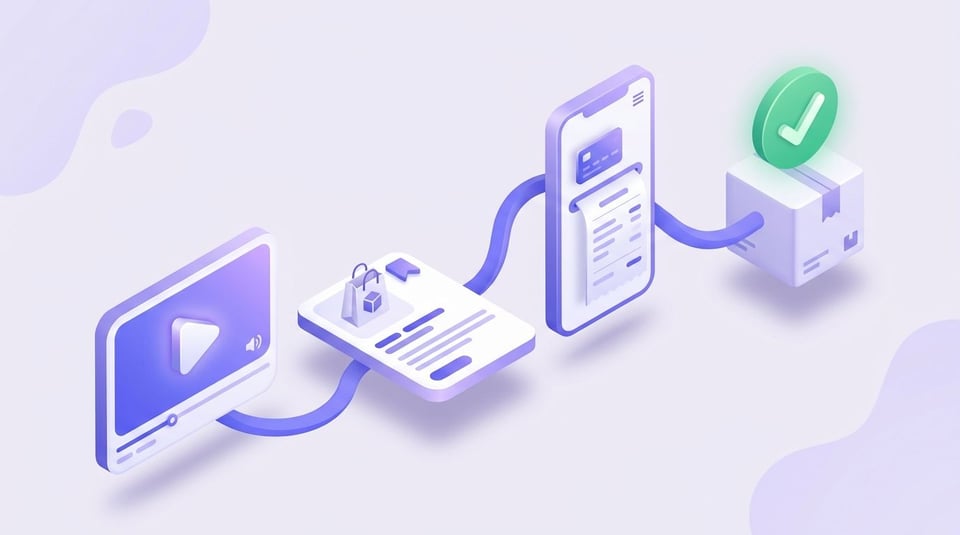
This integrated shopping experience makes product discovery feel more natural than traditional online shopping, especially when recommendations come from creators or brands that users already follow.
Where Can You Find a TikTok Shop?
If you're asking where the TikTok Shop, the answer depends on your location, account type, and whether the feature has been rolled out in your country. When available, TikTok Shop can appear in several places throughout the app rather than in a single dedicated screen.
You may find products while watching videos, browsing LIVE streams, or visiting a creator's or brand's profile. Many businesses also have a storefront where all of their available products are displayed, making it easy to browse multiple items before making a purchase.

The most common places where TikTok Shop appears include:
- The Shop tab in the main navigation (when available).
- Product links attached to short-form videos.
- Product showcases during LIVE shopping events.
- Shopping sections on eligible creator or business profiles.
- Search results for supported products and brands.
Because TikTok continues to expand its shopping features, the interface may look slightly different depending on your region and app version. If you don't see these shopping options, it doesn't necessarily mean your account has a problem – it may simply indicate that TikTok Shop is not yet available for your location or has not been enabled for your account yet.
How to Access TikTok Shop Step by Step
If you're wondering how to access TikTok Shop, the process is usually straightforward, provided the feature is available in your country and your app is up to date.
Follow these steps to access the TikTok Shop:
- Open the TikTok app and sign in to your account.
- Update the app to the latest version if you haven't done so recently.
- Look for the Shop tab in the bottom or top navigation menu, depending on your device and app version.
- If you don't see the Shop tab, open a creator's or brand's profile that sells products and check for a shopping section.
- Tap any product featured in a video or LIVE stream to open its product page.
- Browse product details, reviews, pricing, and shipping information before completing your purchase.
Keep in mind that how to access the TikTok Shop may vary slightly depending on your device, region, and the version of the app you are using. If the shopping feature still isn't visible after updating TikTok, it may not yet be available for your account or country.
How to Search for Products on TikTok Shop
Once you have access to the shopping feature, finding products is simple. Knowing how to search on TikTok Shop can help you discover specific items more quickly instead of waiting for recommendations to appear in your feed.
You can search by entering a product name, brand, or keyword in TikTok's search bar. If shopping is available in your region, relevant product listings may appear alongside videos, creators, and hashtags. Tapping a product opens its page, where you can view photos, pricing, specifications, customer reviews, and shipping details.
Another effective way to find products is through content. Many creators tag items directly in their videos or LIVE streams, allowing viewers to open the product page with a single tap. You can also browse a seller's storefront to explore their full catalog and compare similar products before making a purchase.
Before placing an order, it's worth checking seller ratings, customer feedback, estimated delivery times, and return policies. Spending a few extra moments reviewing this information can help you make a more informed buying decision and avoid unexpected issues after checkout.
Can't Find a TikTok Shop? Here's Why
If the shopping feature isn't visible in your app, don't assume something is wrong with your account. There are several reasons why the TikTok Shop tab not showing is a common issue. In many cases, it is related to regional availability, app settings, or the gradual rollout of new features.
The good news is that most access issues are temporary or easy to verify. Before contacting support, it's worth checking a few common factors that may affect whether TikTok Shop appears on your account.
Common Reasons the TikTok Shop Tab Is Missing
The Shop tab may be unavailable for several reasons, including:
- TikTok Shop has not launched in your country or region.
- You're using an outdated version of the TikTok app.
- The feature is still being rolled out to eligible accounts.
- You're logged into an account that doesn't currently support shopping features.
- Temporary app glitches or cached data are preventing the Shop tab from loading correctly.
How to Check If TikTok Shop Is Available
Start by updating the TikTok app through your device's app store. Then, review TikTok's official announcements or Help Center to see whether Shop is supported in your country. You can also visit creator or business profiles that actively sell products to check whether shopping features appear there.
If other users in your region can access TikTok Shop while you cannot, try signing out and back in, clearing the app cache, or reinstalling the application.
How to Fix TikTok Shop Access Issues
Most visibility problems can be resolved with a few basic troubleshooting steps. Make sure your app is fully updated, maintain a stable internet connection, and restart your device after installing updates. If the issue continues, clearing the app cache or reinstalling TikTok may restore missing features.
For persistent problems, contacting TikTok Support is the best option, especially if Shop is officially available in your region but remains inaccessible on your account.
When to Wait for the Feature to Become Available
TikTok often introduces new features gradually rather than enabling them for every user at the same time. If your account meets the eligibility requirements but the Shop tab is still unavailable, you may simply need to wait until the rollout reaches your region or account.
Checking for app updates regularly and monitoring official TikTok announcements will help you know when the shopping feature becomes available.
Why People Use TikTok Shop
TikTok Shop has changed the way people discover and purchase products online. Instead of searching through multiple websites, users can learn about products from videos, reviews, and live demonstrations before making a purchase. This combination of entertainment and shopping creates a more engaging buying experience while helping brands reach customers where they already spend their time.
Benefits for Shoppers
For consumers, TikTok Shop offers more than just convenience. It makes product discovery faster and provides additional context through creator content and customer feedback.
Key advantages include:
- Purchasing products without leaving the TikTok app.
- Discovering items through authentic videos and LIVE demonstrations.
- Comparing reviews before making a purchase.
- Accessing exclusive promotions, discounts, and limited-time offers.
- Tracking orders directly from the platform.
Benefits for Sellers
Businesses can use TikTok Shop to shorten the customer journey from product discovery to checkout. Instead of directing users to an external website, sellers can showcase products where potential customers are already engaged.
Some of the biggest benefits include:
- Selling directly through videos and LIVE streams.
- Reaching highly engaged audiences through organic content.
- Collaborating with creators to increase product visibility.
- Managing products, orders, and promotions in one ecosystem.
- Reducing friction during the buying process.
Why Brands and Creators Love TikTok Shop
Brands and creators gain a direct path from content to conversion without sending their audience to an external website. TikTok Shop lets them turn attention into sales while keeping the whole experience native to the platform.
The main reasons include:
- Reaching an active, highly engaged audience already open to discovering new products.
- Turning organic videos and LIVE streams into shoppable moments.
- Earning commissions through affiliate partnerships and creator collaborations.
- Using performance data to refine both content and product strategy.
Manage TikTok Shop Finances with QuickBooks or Xero
As your TikTok Shop sales grow, manually tracking orders, payouts, platform fees, and taxes can become increasingly time-consuming. Connecting your store with accounting software helps automate bookkeeping, improve reporting accuracy, and simplify financial management.
If you use QuickBooks, our guide on TikTok Shop to QuickBooks integration explains how to automatically sync orders, payouts, and accounting data, reducing manual work and keeping your financial records accurate.
For businesses using Xero, our TikTok Shop to Xero integration guide shows how to automate transaction syncing, simplify reconciliation, and maintain up-to-date financial reporting.
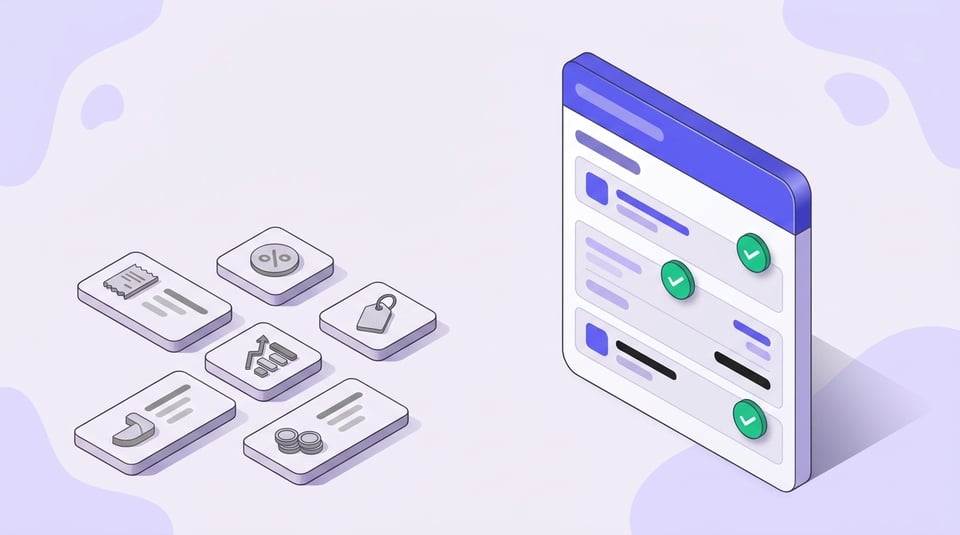
With the right integration in place, you can spend less time managing spreadsheets and more time growing your ecommerce business.
Conclusion
TikTok Shop continues to reshape online shopping by combining product discovery, entertainment, and in-app purchasing into a single experience. Whether you're a shopper looking for trending products or a business exploring new sales channels, understanding how the platform works can help you make the most of its features.
As TikTok expands its shopping ecosystem, more users and brands are expected to gain access to new tools and selling opportunities. Keeping your app updated and following official announcements will help you stay informed about new features as they become available.
FAQ
⌃Is TikTok Shop free to use?
For shoppers, TikTok Shop is free to browse and use — you only pay for the products you order plus any applicable shipping or taxes. Sellers, on the other hand, pay platform fees such as referral commissions on each sale.
⌃Do I need a TikTok account to shop on TikTok Shop?
Yes. You need to be signed in to a TikTok account to place an order, save your payment and shipping details, and track your purchases from within the app.
⌃Can I use TikTok Shop without the mobile app?
TikTok Shop is designed primarily for the mobile app, where product tags, LIVE shopping, and checkout all live. Limited web access exists in some regions, but the full shopping experience works best inside the app.
⌃Can creators earn money by promoting products on TikTok Shop?
Yes. Through TikTok Shop's affiliate program, creators can tag products in their videos and LIVE streams and earn a commission on the sales they help drive.
⌃Why can't I access TikTok Shop on my account?
Access usually depends on your region, app version, account type, and TikTok's gradual feature rollout. If TikTok Shop has not launched in your country or reached your account yet, the Shop tab may not appear.
⌃How do I know if a TikTok Shop is available in my country?
Update the TikTok app, then check TikTok's official announcements or Help Center for supported regions. You can also visit seller or creator profiles to see whether shopping features show up for your location.