

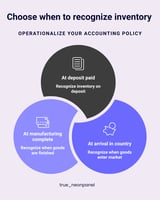
TL;DR: For most Amazon and e-commerce brands, inventory doesn’t appear overnight. You pay deposits,...
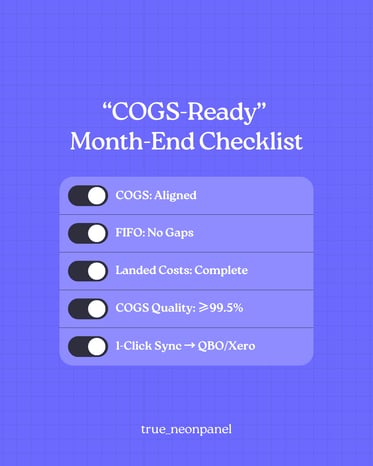
TL;DR: If the data feeding your reports is incomplete, mis-mapped, or out of sync, every decision built on top of it is suspect. This article walks through a simple month-end data quality checklist—across channels, inventory, landed costs, and accounting—so you can trust your numbers, close faster, and stop fighting “mystery variances.”
Why data quality breaks so easily in e-commerce
Amazon sellers don’t suffer from a lack of data—they suffer from too much, spread across:
-
Multiple Amazon accounts, Shopify, TikTok Shop, maybe Walmart or your own site
-
3PLs and FBA/AWD warehouses
-
Freight forwarders, customs brokers, and payment processors
-
QuickBooks/Xero plus everyone’s favorite: spreadsheets
Each system sees only part of the truth. Manual exports, VLOOKUPs, and one-off journal entries glue it together—until:
-
COGS in the P&L no longer matches what ops thinks inventory should be
-
Margin suddenly jumps or collapses with no real-world explanation
-
Month-end takes longer and longer because “something doesn’t tie”
Strong decisions start with clean, trustworthy inputs, not prettier dashboards.
What “trustworthy data” actually means
For a seller or CFO, “clean data” isn’t abstract. It usually means four things:
-
Complete
All relevant transactions have arrived: orders, returns, fees, shipments, bills, and payments. No missing weeks of Amazon settlements or unposted freight bills. -
Consistent
The same fee or tax type always lands in the same account / category across channels. No random new “adjustment” codes living in a catch-all bucket. -
Reconcilable
You can match:-
Settlements ↔ bank deposits
-
Inventory movements ↔ new orders +COGS + adjustments
-
Platform reports ↔ accounting system journals
-
-
Auditable
If an investor, buyer, or CPA asks “Where did this number come from?”, you can drill down from high-level P&L to batches, shipments, and original costs.
If any of these four are missing, your “insights” are really just guesses.
A practical month-end data quality checklist
Use this checklist monthly (or even for a dry run mid-month). You can adapt it to your specific stack, but the structure stays the same.
1. Confirm all channels and periods are imported
For each sales channel (Amazon marketplaces, Shopify, TikTok Shop, etc.):
-
Check date coverage
Make sure you have imported every settlement / payout / order up to the closing date. No gaps, no overlaps. -
Match gross figures
Compare total sales, refunds, and main fee buckets from the channel’s native reports vs. what’s in your system or accounting software. -
Watch for new fee codes
Marketplaces regularly introduce new fee or adjustment types. Any unknown codes should be reviewed and mapped properly instead of landing in “Other.”
A unified hub that aggregates sales, fees, refunds, and expenses from all marketplaces into one ledger makes this much easier than juggling separate exports.
2. Validate inventory and shipments against reality
Inventory is where messy data really hurts. At month-end:
-
Compare on-hand by location
For each SKU and warehouse (FBA, AWD, 3PL, your own facility), compare:-
System on-hand vs. warehouse / Amazon reports
-
Look for negatives or obviously wrong quantities
-
-
Review in-transit balances
Check that open POs, FBA/AWD inbounds, and 3PL transfers make sense:-
No shipments marked “received” in Amazon but still as “in transit” internally
-
No ancient in-transit POs that should have been resolved months ago
-
-
Investigate big inventory adjustments
Large write-offs, un-explained gains, or “fixing” entries are all signals your underlying flows aren’t tight yet.
A proper inventory system should show on-hand, in-transit, and reserved quantities by SKU across all channels and warehouses, plus FBA/AWD shipment statuses that sync automatically.
3. Ensure landed costs and COGS are fully captured
If your COGS is wrong, your margins are wrong. At month-end:
-
List recent POs/containers closed this period
For each, verify that:-
Product costs (from vendors)
-
Freight & drayage
-
Duties & brokerage
-
Insurance
-
Receiving/handling & labeling
have all been captured and allocated into inventory (capitalized), not left sitting as random expenses.
-
-
Check for “zero-cost” or under-costed receipts
Any received inventory without a full landed cost attached will understate future COGS and overstate margins. -
Confirm COGS uses true FIFO layers
Your system should calculate COGS using actual batch costs (e.g., FIFO), not a flat manual average, and should allow recalculation if you fix a past mistake.
If you already read the “COGS vs. Landed Cost” article, think of this checklist as enforcing that theory in your real data. NeonPanel
4. Review revenue, fees, and taxes mapping
Data can be technically “in the system” yet still useless because it’s mapped inconsistently.
At month-end, sanity-check your Chart of Accounts mapping:
-
Revenue
-
Sales by channel (and sometimes by country)
-
Discounts/promos as contra-revenue, not netted inside sales
-
-
Taxes
-
Marketplace-collected VAT / sales tax booked as liabilities, not revenue
-
-
Fees & logistics
-
Referral/commission, fulfillment (pick/pack/weight), payment processing, and storage all in separate, clearly named accounts
-
No catch-all “Fees” bucket swallowing everything
-
-
COGS isolated
Per-order COGS from your FIFO engine should live in its own COGS line(s), not mixed with selling fees. NeonPanel
A rule-based mapping engine that lets you define and adjust these mappings (and supports new marketplaces/services) prevents most of the recurring headaches here.
5. Run reconciliations and “sanity dashboards”
Finally, test whether all the above hangs together:
-
Inventory rollforward
For the period:Opening inventory + Purchases (landed cost) – COGS – Adjustments = Closing inventory
Minor timing differences are fine; big unexplained gaps are not. -
Settlements vs. journals vs. bank
-
Sum marketplace settlements for the month
-
Compare to journals posted into your accounting tool
-
Compare to actual bank deposits (after payment processor timing)
-
-
Margin & balance-sheet reasonableness
-
Gross margin shouldn’t swing wildly without a business reason
-
Inventory on the balance sheet should roughly match physical reality and the scale of your operations
-
Good platforms provide built-in reconciliation and due-diligence reports plus CFO-grade P&Ls and SKU-level profitability so you can run these checks from a dashboard instead of cobbling them together in Excel each time.
Red flags that your data isn’t ready for decisions
If you see any of these, treat them as a “stop sign” before making big calls on pricing, ad spend, or hiring:
-
Negative inventory balances that magically appear and disappear
-
A huge “Other adjustments” or “Misc fees” account growing every month
-
Frequent back-dated manual journal entries to “fix” prior periods
-
Ops and finance dashboards telling different stories about stock or margin
-
A close process that always slips because “we’re still trying to tie things out”
How NeonPanel helps tighten data quality by default
NeonPanel is designed to make trustworthy data the default setting, not an extra project every month:
-
Unified, multi-channel ledger
Aggregate sales, fees, refunds, and expenses across Amazon, Shopify, TikTok, and more into a single audit-ready ledger, instead of reconciling each platform separately. -
Inventory & shipments that actually match reality
View on-hand, in-transit, and reserved inventory by SKU and warehouse, with automatic FBA & AWD shipment ingestion (statuses, sent/received dates, SKUs, locations) keeping ops and finance in sync. -
Landed cost & FIFO engine baked in
Distribute freight, duties, insurance, and other inbound costs by units/weight/volume/value, build FIFO layers at receipt, and recalc transactions if you need to fix a past mistake—no fragile spreadsheets. -
Accounting automation that respects your COA
Pre-configured fee mappings you can customize, plus real-time sync to QuickBooks Online or Xero, mean clean journals and faster financial close without losing control over your chart. -
Analytics, reconciliation, and audit trails
60+ built-in reports, specialized reconciliation and due-diligence views, and CFO-grade P&Ls / SKU-level profitability give you a clear line from high-level numbers all the way down to batches and shipments.
All of that is aimed at one outcome: you can look at your numbers, believe them, and act quickly—instead of spending yet another weekend debugging why COGS or inventory is off.